| Welcome, Guest |
You have to register before you can post on our site.
|
| Forum Statistics |
» Members: 1.812
» Latest member: snkyfkr
» Forum threads: 2.067
» Forum posts: 12.140
Full Statistics
|
| Online Users |
There are currently 76 online users.
» 0 Member(s) | 72 Guest(s)
Applebot, Baidu, Facebook, Google
|
| Latest Threads |
FW Update of VEX does not...
Forum: Beauty and less important bugs/glitches
Last Post: mgd
11-02-2026, 03:39 PM
» Replies: 0
» Views: 29
|
Feature Request: Mapping ...
Forum: Feature requests
Last Post: XORadmin
11-02-2026, 12:51 PM
» Replies: 1
» Views: 69
|
One Time Trig
Forum: NerdSEQ
Last Post: XORadmin
11-02-2026, 12:42 PM
» Replies: 1
» Views: 47
|
Broken Redirect Links?
Forum: Website issues
Last Post: fossilizeme
11-02-2026, 03:26 AM
» Replies: 0
» Views: 44
|
Random choices
Forum: General Questions
Last Post: joesh
10-29-2026, 10:35 PM
» Replies: 2
» Views: 78
|
Release Candidate Firmwar...
Forum: Firmware / Manual
Last Post: XORadmin
10-29-2026, 08:35 PM
» Replies: 20
» Views: 2.597
|
Ratchet Randomly or Just ...
Forum: General Questions
Last Post: dangerBreak
10-29-2026, 08:00 PM
» Replies: 6
» Views: 185
|
Output a clock divider on...
Forum: General Questions
Last Post: XORadmin
10-28-2026, 10:34 PM
» Replies: 2
» Views: 101
|
Hallucinatory MIDI CC com...
Forum: Beauty and less important bugs/glitches
Last Post: XORadmin
10-28-2026, 10:02 PM
» Replies: 7
» Views: 1.388
|
Option to set Range on Ra...
Forum: Feature requests
Last Post: XORadmin
10-28-2026, 10:01 PM
» Replies: 2
» Views: 122
|
|
|
| knob turn + OK button causes value jumps |
|
Posted by: OhJay - 05-13-2024, 05:09 PM - Forum: Beauty and less important bugs/glitches
- Replies (2)
|
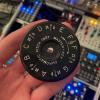 |
I'm getting some odd behavior whereby turning the multi knob and pressing the OK button to audition the changes, causes the value to suddenly jump to almost max after a few button presses. It works absolutely fine in the notes column, and in fact is really fun to "jam" with the knob while holding down the OK button.
|

|
|
| Superbooth 2024 |
|
Posted by: XORadmin - 05-12-2024, 03:39 PM - Forum: Company News
- No Replies
|
 |
And I will be there again and bring some new goodies:

Superbooth 2024 is coming up and you can meet me and those 2 upcoming expanders together with the whole NerdSEQ ecosystem and its latest firmware features at booth Z240! On the left side there is the Dualchord expander for the NerdSEQ. And this time one that makes sound!! Basically it is a hq multi-oscillator with 2 times 4 voices with each 4 mixable waveforms (sine, saw, triangle, pulse) which means that 32 waves are running at the same time. Additional features like detune, spread, PWM, Stereo Effects, 8 LFO, 4 free assignable knobs, 2 trigger/gate and more. Completely paraphonic playable and controllable from each NerdSEQ track. Perfect for nice multi-octave chords, drones and your cheesy 80's analogue-ish synth sounds combined with a filter and an envelope.
On the right side the ART add on which is the bridge between the NerdSEQ and Tiptop Audio ART range of modules. Totally integrated polyphonic sequence of the ART ecosystem.
We love para-polyphonic!
It is definitely worth to come by...even if you fear the NerdSEQ 
|
|
|
|
| SetUp + Scales |
|
Posted by: joesh - 05-12-2024, 10:12 AM - Forum: General Questions
- Replies (6)
|
 |
Would it possible to explain what the SetUp section of Scales is for? I see you can change it, but as soon as you leave the screen, and then return it's always back to the 00 (or the Global setting). How do we work with this, or what is it's purpose?
Lastly, I'm still trying to figure out how to have a scale 'setup', and also put notes outside of that scale in the melody. As a simple example, if I want to have as a rule C mixolydian, but still put in 'B' natural in the pattern section (for one track), how do I do this?
Thanks in advance.
BTW, the only solution I've found (which is maybe your plan) is to add in a note - in this case set 40 in the track, add the B in the scale notes right column, and select Edit so that if I use Random only the Mixolydian scale with C as it's root is used. Could this be the answer to my question?
|
|
|
|
| Automatic screen turn-off |
|
Posted by: KitKatAndy - 05-08-2024, 05:16 AM - Forum: Feature requests
- No Replies
|
|
Since I estimate most people are not using Nerdseq in every session, it would be great if the screen turns completely off after a certain adjustable time and on again, if a button is pressed. Beside the nice screensaver this would be even a more sustainable option to "save" screentime.
Bitbox Micro have the same issue. Therefore I built a dedicated case for it to turn it on just, if I really use it.
Industrial music electronics module´s are great for this... they turn off the screen after a adjustable time.
@Thomas: I estimate/hope the programming for this wouldn´t be that time consuming? Just a timer + button-sensitive turn on/off...
Would appreciate this very much!
|
|
|
|
| [FIXED] Using CV Input 1 to clock Table not reliable |
|
Posted by: SynthBu - 05-06-2024, 08:59 PM - Forum: Beauty and less important bugs/glitches
- Replies (6)
|
|
Excited newbie here. I’m trying to do Steve Reich’s Piano Phases using NerdSeq plus Pamela’s New Workout for generating clock ticks. I’m a pianist who loves modern music, which makes me very detailed oriented, and I want to duplicate Reich’s intent as much as possible. I’ve seen the XOR video on Piano Phases using Nerdseq but I want to do it differently.
Reading through the forums I found that one can control steps in a table by using CV Input. Yes, the Nerdseq is all powerful! Therefore I created a trivial Pattern with just a single note C-2, and then transposed that note in the Table to get the 12 note loop needed for Piano Phases.
And it almost worked perfectly. But it turns out that roughly 1 in 20 times the clock tick from CV Input 1 is missed and the note sounds for two ticks, completely throwing things off.
Being an engineer I of course debugged: - Using Nerdseq clock as input to the table works perfectly (though then can’t do Piano Phases). This means that using a Table should be okay.
- Using other inputs such as CV Input 2 did not work in same way
- Looked at the input signal using a scope and it is very clean
- I thought perhaps the voltage level was insufficient so added a VCA to boost it from 5V to 7V but that did not make a difference. Plus I found by turning down the voltage the clock still worked same way until dropped to about 2V. So seems it can’t be voltage level.
- I tried using the clock output that never varies to make sure the Nerdseq wasn’t trying to adjust a varying clock.
- I tried slowing down the clock ticks but behavior was still not reliable.
Video showing the problem is at https://youtu.be/90QGaSApuaM . You can see and hear how the stepping is not consistent due to sometimes missing clock ticks.
The simple Project file that defines the Pattern and Table can be downloaded from https://drive.google.com/file/u/0/d/1pzz...ring&pli=1
Hope someone can provide some insight on either what I’m doing wrong or if there is a bug.
|
|
|
|
| Gate Indicator disappears when a MIDI track exists |
|
Posted by: jeff.r.day - 05-03-2024, 02:46 AM - Forum: Beauty and less important bugs/glitches
- Replies (7)
|
|
If I set any track to be a MIDI-type track, for some reason it prevents the right side of the Sequencer screen from showing the Gate Indicator next to the corresponding Note and Modulation Indicators there, even though the Modular Gate itself is still accessible through other tracks or FX, and even though the related CV(note) and MOD indicators are still showing up properly. To be clear, the gate output itself does still work - it just isn't showing on the display. And yes, I verified that the "Clone to Modular" option is turned OFF, so this MIDI track shouldn't be impacting the modular outputs.
I've also verified that it is an issue regardless of which track is set to MIDI.
I can use an LED cable to visualize the gate if I need to, so this isn't a show stopper.
|
|
|
|
| Trigger/retrigger probability |
|
Posted by: ogy - 04-29-2024, 10:54 PM - Forum: General Questions
- Replies (1)
|
|
I can set probability for a trigger or retrigger, but is there a way to have a normal trigger with a low probability of retriggering? I know there is the random trigger length/ratcheting but the lengths are too random. Ideally id like to do it in drum matrix too.
|
|
|
|
|


