| Welcome, Guest |
You have to register before you can post on our site.
|
| Forum Statistics |
» Members: 1.812
» Latest member: snkyfkr
» Forum threads: 2.067
» Forum posts: 12.140
Full Statistics
|
| Online Users |
There are currently 86 online users.
» 0 Member(s) | 83 Guest(s)
Applebot, Bing, Google
|
| Latest Threads |
FW Update of VEX does not...
Forum: Beauty and less important bugs/glitches
Last Post: mgd
11-02-2026, 03:39 PM
» Replies: 0
» Views: 29
|
Feature Request: Mapping ...
Forum: Feature requests
Last Post: XORadmin
11-02-2026, 12:51 PM
» Replies: 1
» Views: 69
|
One Time Trig
Forum: NerdSEQ
Last Post: XORadmin
11-02-2026, 12:42 PM
» Replies: 1
» Views: 47
|
Broken Redirect Links?
Forum: Website issues
Last Post: fossilizeme
11-02-2026, 03:26 AM
» Replies: 0
» Views: 44
|
Random choices
Forum: General Questions
Last Post: joesh
10-29-2026, 10:35 PM
» Replies: 2
» Views: 78
|
Release Candidate Firmwar...
Forum: Firmware / Manual
Last Post: XORadmin
10-29-2026, 08:35 PM
» Replies: 20
» Views: 2.597
|
Ratchet Randomly or Just ...
Forum: General Questions
Last Post: dangerBreak
10-29-2026, 08:00 PM
» Replies: 6
» Views: 185
|
Output a clock divider on...
Forum: General Questions
Last Post: XORadmin
10-28-2026, 10:34 PM
» Replies: 2
» Views: 101
|
Hallucinatory MIDI CC com...
Forum: Beauty and less important bugs/glitches
Last Post: XORadmin
10-28-2026, 10:02 PM
» Replies: 7
» Views: 1.388
|
Option to set Range on Ra...
Forum: Feature requests
Last Post: XORadmin
10-28-2026, 10:01 PM
» Replies: 2
» Views: 122
|
|
|
| How do you change a pattern tempo from the sequencer screen? |
|
Posted by: Manbearpig - 04-07-2024, 10:55 PM - Forum: General Questions
- Replies (1)
|
 |
I saw a YT video by SB-SIX where he used a midi controller to divide the tempo of a bass note pattern, but direct from the sequencer screen. Unfortunately he didn't mention how you would do this without a controller (I left a comment asking).
I can't find any mention of this in the manual. I'm on firmware 2.0.
Any pointers much appreciated.
I'm so confused. I found a BPM setting in the FX column but it changed the speed of all the patterns - why would it do that from within one
pattern? Also, as I fumble around, I seem to speed up the bass notes but have no idea how I did that.
|

|
|
| Using XMAP to modify midi CC? |
|
Posted by: kriskeyman - 04-07-2024, 01:47 AM - Forum: General Questions
- Replies (5)
|
|
I have an I2C/Multi track successfully triggering 16 channels of Machinedrum. However, I’m trying to use XMAP in FX lanes to modify decay of bass drum (MIDI CC dec 17).
Machinedrum is using base channel 10.
I’d like XMAP 000D to have short decay (30)
I’d like XMAP 000E to have long decay (127)
In mapping screen, how do I set source & destination in the 0D & 0E rows to change the decay when XMAP in FX row is triggered?
I can assign an I2C slider as source to change the decay value, which works fine. But how can I use the mapping screen to assign a specific decay value when the mapping row is triggered?
|
|
|
|
| Cursor Position Follow - when using "Clone Pattern Below" combo |
|
Posted by: spilthyfred - 04-04-2024, 02:50 AM - Forum: Feature requests
- Replies (4)
|
|
Currently the cursor stays with the original pattern when using the "clone pattern below" combo. It would be more useful if the cursor position followed to the new cloned pattern.
This way, while holding Shift+Down, one could simply press OK multiple times to create a stream of new clones - each one following below.
(edited, use case example below)
|
|
|
|
| TRS MIDI latency or gate length issue (maybe) |
|
Posted by: rubberband - 04-03-2024, 03:13 AM - Forum: General Questions
- Replies (2)
|
|
Hi Nerds,
I have an issue driving drum voices using TRS-MIDI with the new IO expander. When I fill in the drum matrix with 16th note triggers no triggers play. If I reduce the pattern to 8th notes everything works perfectly. But essentially, any time I have two matrix triggers next to each other only the triggers with an empty matrix space immediately before them play. E.g. if this is an 8 step loop:
00 x
01 x
02 x
03 x
04 _
05 x
06 x
07 _
only the triggers on step 00 and 05 will play.
-- edit -- I see it now, from the manual:
"MIDI GATL, MIDI GATM, MIDI GATH → Sends a Midi Note On of Note off with a velocity of 33%(L), 66%(M), 100%(H). A filled in field in the matrix sends a gate on which will stay on until the next empty field."
The issue for me is using the MIDI TRGL/M/H commands isn't really workable - on the Flame Fire they don't trigger the drums, and on the bitbox they don't reset the sample playback progress bars.
I've tried this with a Flame Fire drum module and a BitBox MK2. Both are setup to use midi GATH triggers (and otherwise work great). I can trigger both perfectly using a trigger pulse from the Nerd trigger outputs, or another module like an intellijel steppy.
Any ideas for a workaround? Is there a setting somewhere to modify the behavior, or change the timing between high and low for a TRG message?
I have a triggers expander that will work in a pinch, but case space is at a permium at the moment.
|
|
|
|
| Pattern scroll shortcut |
|
Posted by: OhJay - 03-29-2024, 11:45 AM - Forum: Feature requests
- Replies (4)
|
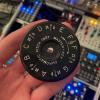 |
Since having the multi I/O expander, it’s been really fun to record the knob movements into a scrolling sequencer for a bit of a random inspiration starting point (even tho it does miss out the first bar of the pattern). Being able to turn on/off scrolling quickly would be handy.
Maybe sometime you would consider adding a shortcut for the scroll parameter (or even a button combo on multi I/O for momentary activation).
|
|
|
|
| I try to send midi to external devices (ableton or bitbox) |
|
Posted by: mcfrsvn - 03-23-2024, 08:25 PM - Forum: General Questions
- Replies (4)
|
|
Hello, I have the multi-io expander, and I try to figure out to send midi data to external device as ableton (midi device) or bitbox micro (trs cable).
Nerdseq midi is recognized in ableton but I don't succeed to send notes.
I configured track01 as I2C/mult and track 02 as MIDI Chan:1 trs.
Do I use the mapping section ?.
How I can tell to ableton that I play notes or trigs ?
Sorry I looked in the forum but...
Thanks by advance
(03-23-2024, 08:25 PM)mcfrsvn Wrote: Hello, I have the multi-io expander, and I try to figure out to send midi data to external device as ableton (midi device) or bitbox micro (trs cable).
Nerdseq midi is recognized in ableton but I don't succeed to send notes.
I configured track01 as I2C/mult and track 02 as MIDI Chan:1 trs.
Do I use the mapping section ?.
How I can tell to ableton that I play notes or trigs ?
Sorry I looked in the forum but...
Thanks by advance
as soon as I posted the message I found the solution : when you SET the TRACK as MIDI, go on the track SHIFT+NERD -> Track Setup -> Base Midi Channel -> DEVICE #1
|
|
|
|
|


